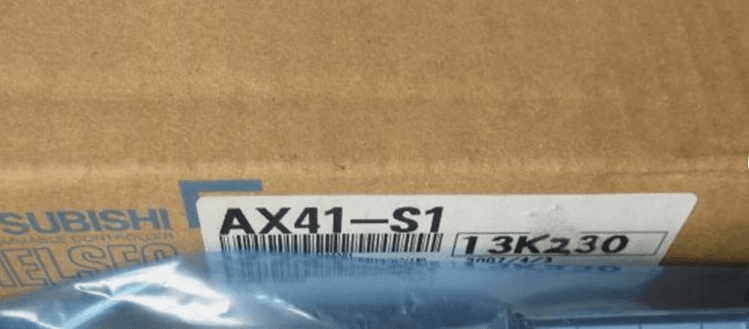
Mitsubishi AX41-S1
Product information
$213.00
SKU: AX41-S1
Alternate: AX41S1
About This Part
Quick Answer
- FANUC AX41-S1 is supplied for CNC maintenance, replacement, and industrial automation support.
- Current status: in stock and ready for worldwide shipment.
- Standard supply terms: 12 months warranty and technical confirmation on request.
- Compatibility information is available for this part. Share your machine model or original part number for final confirmation before ordering.
Mitsubishi AX41-S1 is a FANUC a series supplied by Vcocnc for CNC maintenance, replacement, and industrial automation support. This item is in stock and ready to ship worldwide.
- Category: A Series
- Condition: new
- Warranty: 12 months
- Lead time: 3-7 days
- Origin: China
Product Description
Part Details
- SKU
- AX41-S1
- Brand
- FANUC
- Part Number
- AX41-S1
- Category
- A Series
- Condition
- new
- Warranty
- 12 months
- Country of Origin
- China
Compatibility Information
Compatibility for FANUC AX41-S1 Spare Part should be checked against the original part number, CNC series, amplifier or controller model, and machine builder option code. Share your existing nameplate photo or alarm information before ordering so we can confirm interchangeability.
Installation Guide
Before installing FANUC AX41-S1, isolate machine power and confirm the exact part number on the original unit. Inspect connectors, mounting points, and cable orientation before removal. After replacement, verify alarms, parameters, and axis or control response according to your machine maintenance procedure. If parameter backup or commissioning is required, ask your technician to complete it before production restart.
Maintenance Tips
Keep FANUC AX41-S1 clean, dry, and protected from conductive dust, oil mist, and unstable voltage. Check cabinet ventilation, grounding, and connector condition during routine maintenance. Record alarm history and replacement dates so future troubleshooting is faster. For long-term spares storage, use anti-static and moisture-protection packaging.